
Your course materials, in one place.
Rungkai brings your course papers, notes and practice questions together. Spend less time looking for materials and more time studying. Each item shows where it came from.
Rungkai is invite-only, and the beta has not opened yet. Ask for an invitation. Once you have one, you sign in with your @student.uitm.edu.my email address and a 6-digit code.
A look inside
Scroll to see how it works.
These are design previews with sample data, to show how Rungkai is being designed. Materials in the beta will be real and checked. No sample content is shown as real course material.
- 1Building now
Start from one dashboard
Your course and recent materials are in one place, so you can pick up where you left off.
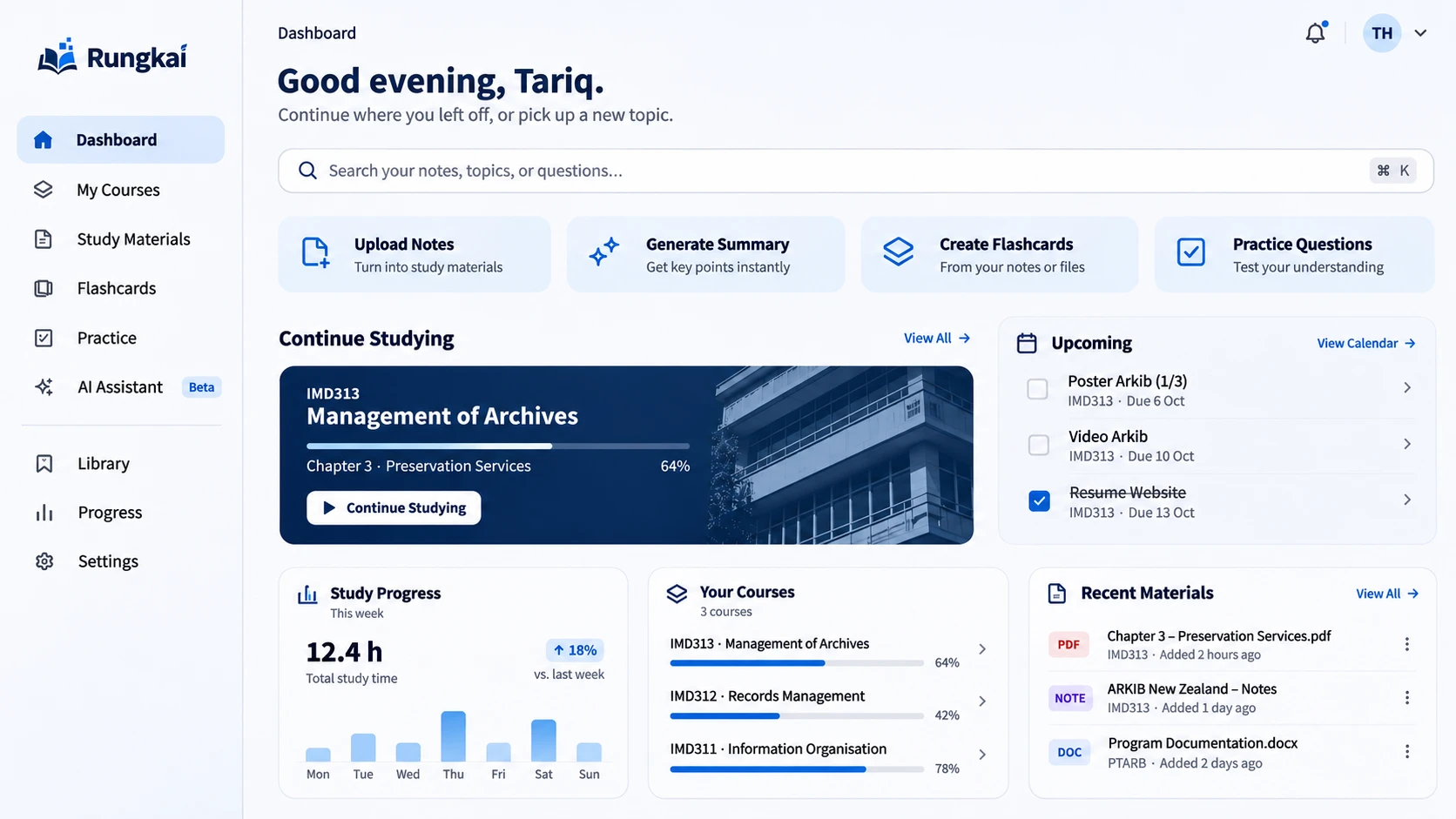
Dashboard · design preview, sample data - 2Building now
Browse the library
Past papers and approved notes are organised by category and course. Each item shows its source.
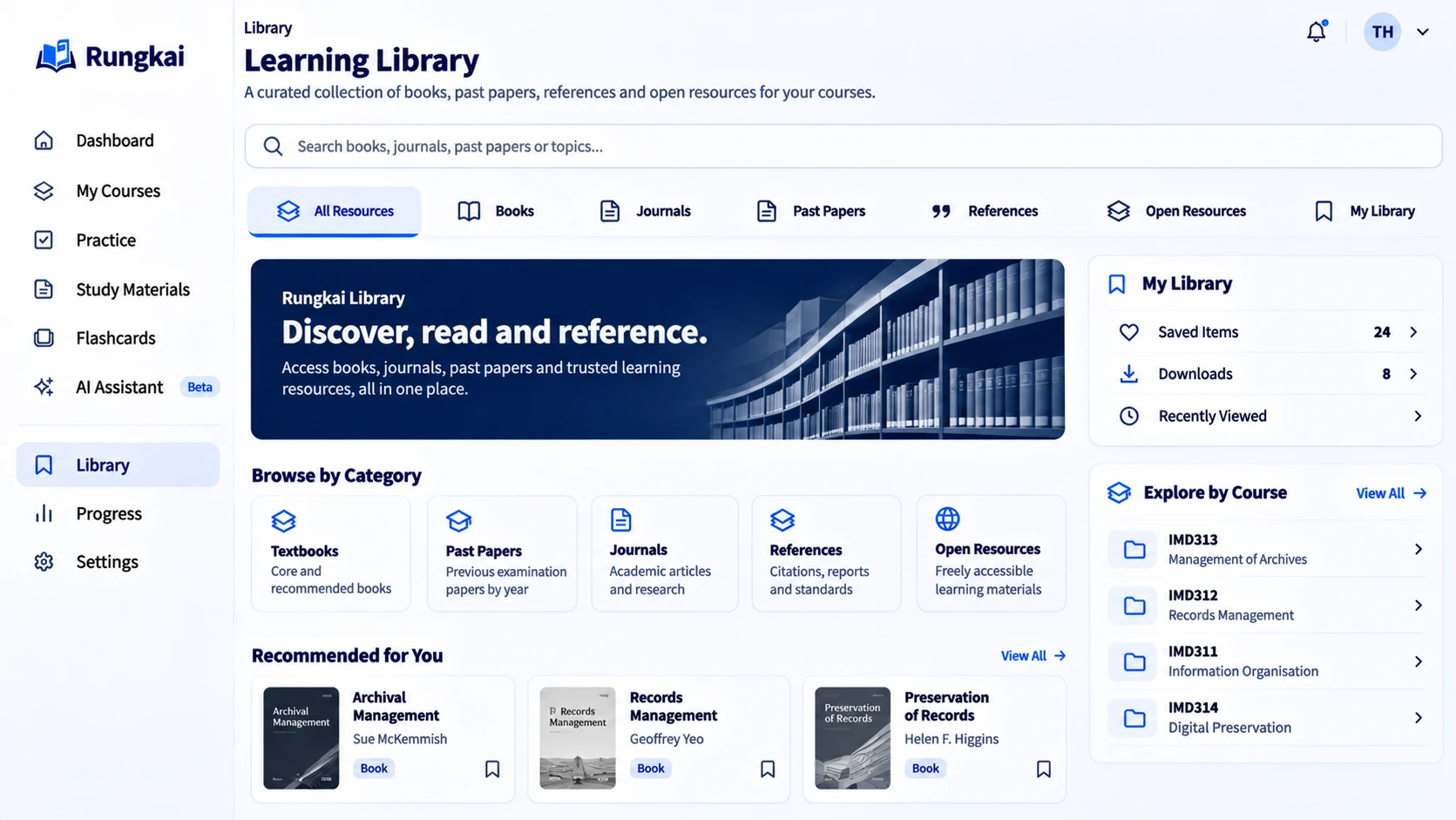
Library · design preview, sample data - 3Next
Practise from past papers
Open a past paper or practise questions. Topic counts show how many papers they are based on, and describe the past only.
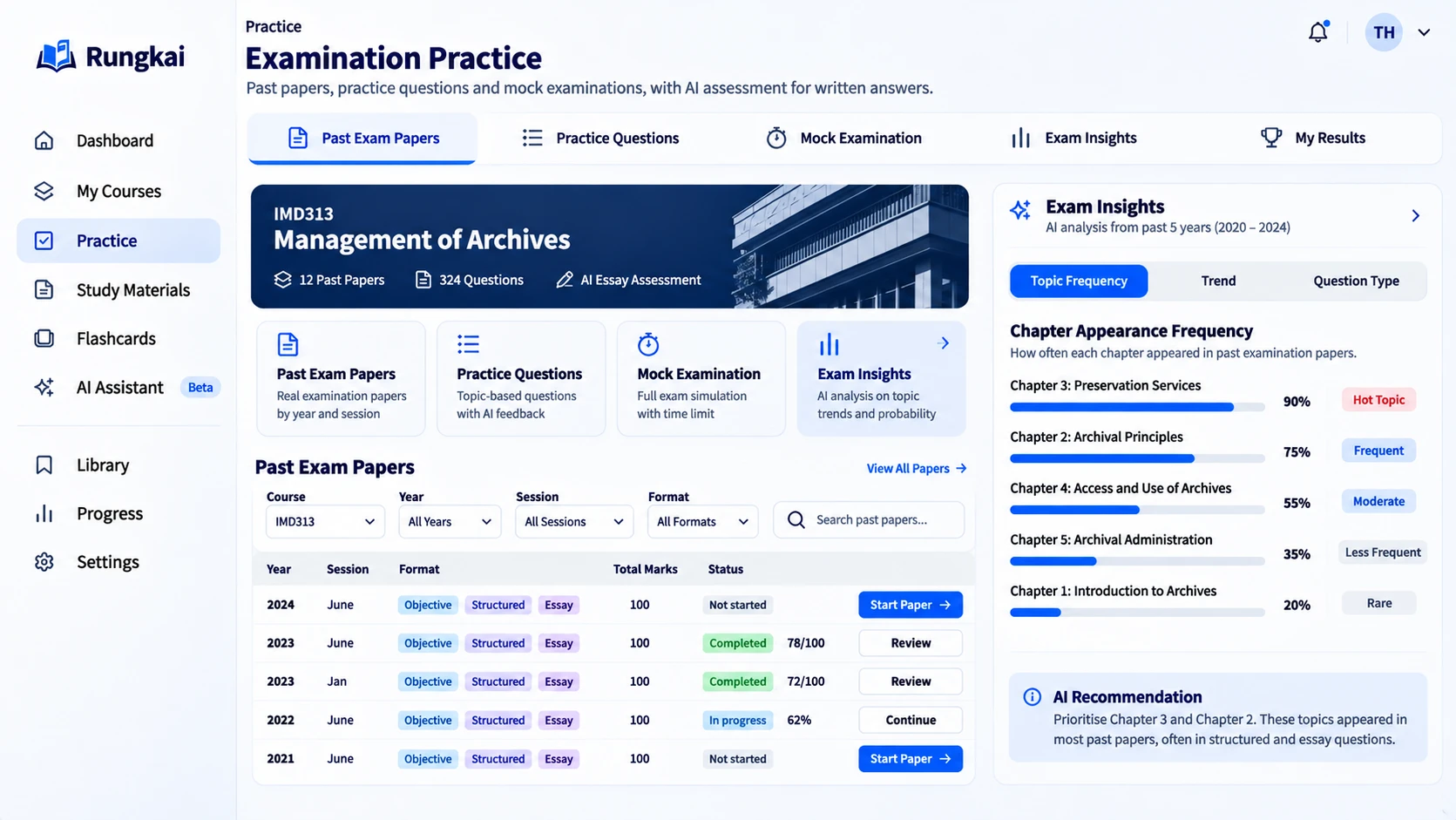
Practice · design preview, sample data - 4Building now
Keep each course together
Every course keeps its own materials, so nothing is mixed up between subjects.
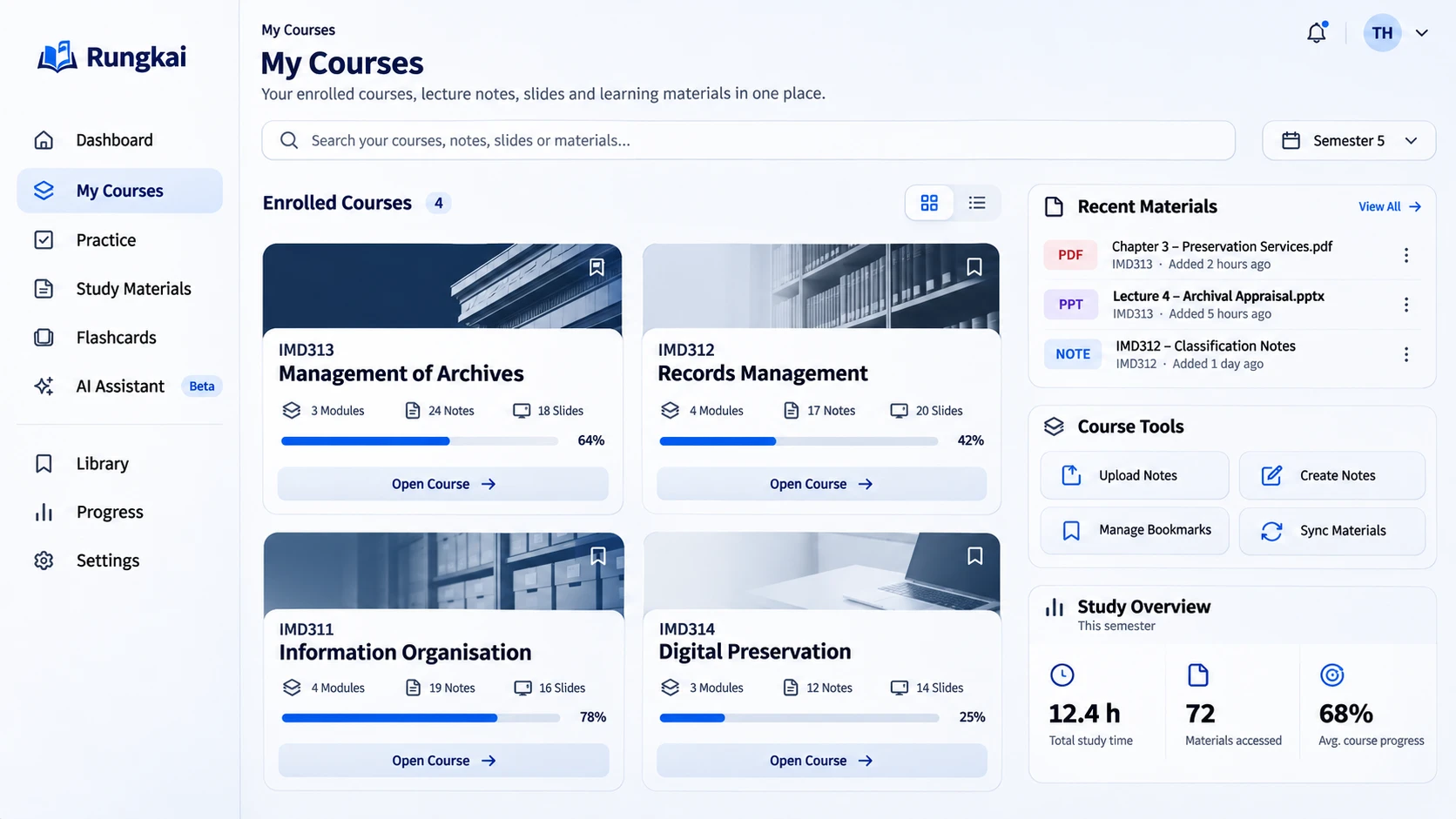
My Courses · design preview, sample data
Dashboard · design preview, sample data
Course materials are hard to find.
Rungkai means “to unravel” in Malay. The app brings scattered course materials together so they are easier to find and use.
Say you need the June 2023 paper
Today
- You need the paper
- Ask in the chat group
- Search the shared drive
- Message a friend
- Scroll through screenshots
- Maybe found it?
Each one is in a different place.
With Rungkai
- You need the paper
- Search Rungkai
- Past paper · June 2023 Source shown
One place, organised by year, session and topic. Each item shows where it came from.
An example with a sample paper, not a real one.
Materials are scattered
Notes are in chat groups, slides are in shared drives and past papers are saved as screenshots. It is hard to keep track of it all.
Past papers are hard to find
You may know a paper exists, but finding the right year and session can mean asking other students for copies.
Practice questions take time to collect
Useful questions may already exist, but collecting them by topic before an exam takes time away from studying.
Find materials. Practise questions. Understand topics.
Features are being built in the order students need them. Each card shows its current status.
- Building now
One resource library
Find past papers and approved notes for your course, organised by year, session and topic. Each item shows its source.
- Building now
Search in everyday words
Search for “Chapter 3 questions about management of archives” and get matching papers, extracts and notes. Search works without AI.
- Next
Read papers in your browser
Open authorised past papers in Rungkai. Access is checked each time, and the original files are not changed.
- Next
Checked practice questions
Each question is linked to its original paper and page, and is checked before it is used. Practise with quizzes and review the questions you got wrong.
- Next
Topics in past papers
See how often each topic appeared, and how many past papers that is based on. This shows what happened before. It does not predict the next exam.
- Later
A study assistant with clear limits
It answers using approved course materials and shows its sources. If it cannot give a reliable answer, it says so.
Getting started is simple.
- 1
Get an invitation
Rungkai is a closed beta. Students in the IMD313 group at UiTM Rembau are invited by email.
- 2
Sign in with a code
Enter your university email address. We send you a 6-digit code to sign in. You do not need a password.
- 3
Find and practise
Search for course materials, answer practice questions and check the sources behind them.
How we keep it reliable.
You should be able to check the information you study from. These are the principles behind Rungkai.
Sources are shown
Each paper, question and answer shows its source and whether it has been checked.
Checked before use
Extracted questions and topics are reviewed before they appear in quizzes or statistics.
Shared with permission
Materials are shown to students only when we have permission to share them.
AI is optional
Search, quizzes and statistics work without AI. Any AI feature will have clear limits and show its sources.
No exam predictions
Rungkai shows how often topics appeared in past papers and how many papers that covers. It does not predict what will appear in future exams.
Your quiz results stay private
Other students cannot see your individual quiz results. We collect only the information the beta needs.
Starting with one course.
Each stage builds on the one before. We are starting with one course and getting it right first. This is a plan, and it may change.
Now
Current pilot
IMD313, Semester 5, UiTM Rembau
After the pilot
Next
Other Information Science courses and semesters
If it helps
Then
Business and Mass Communication programmes at UiTM Rembau
If it helps
Later
Other UiTM campuses and universities
Frequently asked questions.
Who can use Rungkai right now?
Students invited to test Rungkai for IMD313 at UiTM Rembau. Rungkai is a closed beta, so you need an invitation to sign in.
How do I get an invitation?
Invitations go to the IMD313 tester group. If you should have one and do not, write to inquiry@vorscorp.com.
Is Rungkai an official UiTM service?
No. Vorscorp is building Rungkai as a pilot for IMD313. It is not run or endorsed by UiTM.
Where do the past papers come from?
Materials are shown to students only when we have permission to share them. Each item shows its source. We do not invent or generate materials.
Do I have to use AI?
No. You can find papers, practise questions and see topic statistics without AI. The study assistant is planned for later. It will have clear limits and show its sources.
Does it cost anything?
The beta has no payments or subscriptions.
What happens to my data?
The first time you sign in, you will be asked to read and accept the beta terms. We collect only what the beta needs, such as your university email address and, as new features arrive, your quiz results.
Want to try Rungkai?
Rungkai is a closed beta for IMD313 testers at UiTM Rembau. Ask for an invitation by email.